
Research Dossier for Target Company Complete US Guide, AI Tools & Free Template 2026


You have a sales call in two hours. Maybe a partner deal needs an answer by Friday. Ten browser tabs sit open, and you can’t remember which page gave you that revenue number.
Sound familiar? Research Dossier for Target Company that mess. It puts every fact in one file and ties each claim to its source. In this guide, you’ll learn what to include, where to look, and how to use AI company research without getting burned. You’ll also get a copy-paste prompt, a tool list, a worked example, and a free company research template.
Here’s the catch. AI tools write fast, and they sometimes invent facts. A 2026 study from JPMorganChase AI Research tested this on equity reports. Human analysts still beat every AI agent on report quality. Some AI claims also couldn’t be confirmed from their own citations. You can read the paper, Deep FinResearch Bench, on arXiv. So this guide teaches you to move fast and still check the facts.
What Is a Research Dossier for a Target Company?
A research dossier for a target company is a structured file about one organization. It gathers facts from many places into a single document. Each fact links back to its source. People also call it a company research dossier, a business research report, or a corporate research report.
The file always serves a decision. You might want to sell to the firm, buy it, partner with it, or hire it as a vendor. Pick that decision first. Then collect only the facts that help you decide. That habit keeps your target company research short, sharp, and useful.
Research Dossier vs. Company Profile: Key Differences
A company profile is a short summary. It lists the name, size, location, and industry. A dossier goes much further. It adds competitor notes, risks, open questions, and a clear next step. Think of a profile as a business card. A dossier is the full briefing folder. The folder helps you act, while the card only tells you who someone is. Good company profile research feeds the dossier, but it never replaces it.
| Feature | Company Profile | Research Dossier |
| Length | One page or less | Several pages plus a summary |
| Depth | Basic facts | Facts, analysis, and risks |
| Sources | Often unlisted | Cited for every claim |
| Risks and gaps | Rarely shown | Always listed |
| Next step | None | Clear owner and date |
Common Business Uses of a Company Research Dossier
The same structure works for four main jobs. Sales teams use it for account planning. Investors use it for corporate due diligence. Partnership teams use it to judge fit. Strategy teams use it for competitor research. The core sections stay the same. Only the reading order changes. A sales rep reads the leadership section first. An investor jumps to financials. A company investigation report for a vendor puts risks near the top.
| Use Case | Main Users | What It Settles |
| Sales and account planning | Sales and business development | Buying committee, pain points, outreach angle |
| Investment and due diligence | Investors and analysts | Financial health, ownership, funding, risk |
| Partnership and vendor review | Procurement and BD teams | Stability, fit, long-term risk |
| Competitive analysis | Strategy teams | Market gaps, positioning, strengths |
Who Needs a Target Company Research Dossier?
Anyone about to spend time or money on a company needs one. The stakes don’t have to be huge. Even a first sales call goes better with solid company information gathering. Research Dossier for Target Company A bad guess costs real hours. A good dossier saves them.
Different readers want different things. Below, you’ll see four groups and what each one should focus on. Use these notes to trim your own file. Skip anything that doesn’t change your decision.
Sales and Business Development Teams
Sales teams use a dossier to find the right people and the right moment. Look for the buying committee, recent funding, new executives, and fresh product launches. These “trigger events” give you a natural reason to reach out. For example, a new chief technology officer often reviews old vendors. Your target business analysis should end with one outreach angle. Keep it specific. “Congrats on the new data center” beats “Hope you’re well.” Strong business intelligence research turns a cold email into a warm one.
Investors and Financial Analysts
Investors care about money and risk. Their dossier leans on company financial analysis, revenue and profitability analysis, debt levels, and funding history. They also study ownership information and downside cases. Public firms offer deep filings. Private firms offer far less. So analysts mark every figure that comes from news instead of a filing. That small habit protects a financial due diligence review from weak numbers. It also shows reviewers where the gaps are.
Business Owners and Entrepreneurs
Owners use dossiers to size up partners, rivals, and acquisition targets. Time is tight for them. So they need short, clear company analysis they can read in minutes. A founder might check a possible distributor before signing a contract. Another might study a rival’s pricing and hiring. Both tasks fit the same framework. The company background check keeps surprises out of the deal. It’s cheap insurance for a small team.
Procurement and Vendor Evaluation Teams
Procurement teams worry about one thing above all. Will this vendor still be around in three years? Their business due diligence covers financial stability, customer concentration, security records, and support reviews. They also run a business risk assessment on legal cases and leadership churn. A vendor that depends on one big customer is fragile. A dossier makes that risk visible early. That’s far better than learning about it after the contract starts.
Why Use AI to Create a Company Research Dossier?
AI-powered company research saves hours. A deep research agent plans a search, reads many pages, and writes a cited draft. You skip the tab hopping and the copy-paste. That’s a big win when the deadline is close.
However, speed isn’t the same as accuracy. AI can state wrong facts in a calm, confident tone. That error is called a hallucination. So treat every AI draft as a first pass. You supply the checking, and you make the final call.
Faster Company Research and Data Collection
An AI tool can finish in minutes what takes a person half a day. It reads filings, news, and web pages in one run. This is automated company information gathering at its best. You start with a rough draft instead of a blank page. Then you spend your time on the parts that matter, like checking numbers and weighing risks. Think of the AI as a quick junior researcher. It collects fast. You still review the work before anyone sees it.
Broader Information Coverage
One run can touch SEC company filings and disclosures, news, job posts, patents, and reviews. A busy person with one free hour rarely reads all of that. Wide coverage helps you spot gaps early. For instance, a patent filing might hint at a new product line. A string of job posts might signal a new market push. Still, coverage doesn’t equal truth. More sources just mean more claims to verify. Keep that in mind as you read.
Consistent Research Structure and Organization
A standard outline makes your files easy to compare. When every dossier follows the same ten sections, you can line up two vendors side by side. Missing sections stand out right away. Handoffs between teammates also get smoother. This standardized corporate research framework is a quiet superpower. AI helps here because it follows a template well. Give it the same structure each time and the output stays tidy.
AI Limitations and the Importance of Human Verification
The JPMorganChase study is a useful reality check. Researchers compared reports from four deep research agents with reports from professional analysts. The agents came from OpenAI, Gemini, Perplexity, and Grok. The analysts won on overall quality.
The AI reports lacked sector-specific metrics and clear reasons for their assumptions. Some claims also couldn’t be confirmed from the pages they cited. The agents did beat plain web search, so deep research modes are worth using. The lesson is simple. Use AI for speed, and use human review of AI-generated findings for trust. Note that the test covered public-company equity research. Results for sales or vendor work may differ.
What Should a Research Dossier for a Target Company Include?
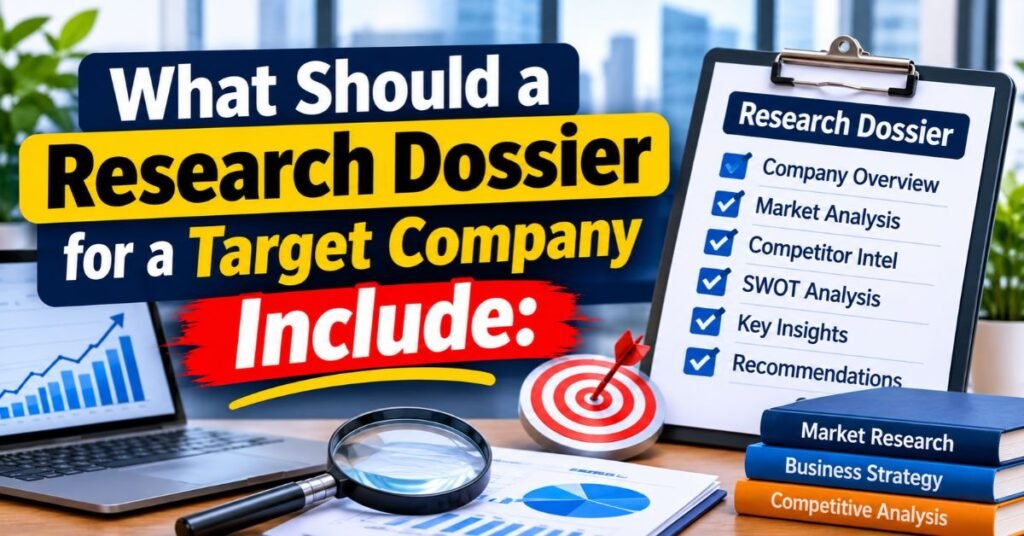
A solid dossier has ten sections. They run from a quick snapshot to a clear next step. You don’t need every section every time. Drop any part that doesn’t serve your decision.
When you share the file, put the summary on page one. Busy readers want the answer first. The detail sits behind it for anyone who wants proof. Use this layout as your target company research report template.
Company Overview and Business Snapshot
Start with the basics. Write the legal name, founding year, headquarters, headcount, industry, and website. Add one plain sentence on what the company does. This company overview sets the stage for everything else. Confirm the legal name in business registration records. Many firms share similar names, and mix-ups cause real errors. A correct snapshot also supports company verification later. Take five extra minutes here. It prevents hours of confusion down the road.
Business Model and Revenue Streams
Explain who pays, for what, and how often. This is business model analysis in its simplest form. Note the pricing style, the main revenue streams, and any customer concentration. Then describe the go-to-market approach. Does the firm sell directly, through partners, or online? One clear paragraph is enough. A subscription firm and a project-based firm behave very differently. Knowing which one you face changes how you approach them. It also shapes the risks you should watch.
Industry, Market Position, and Competitors
Name the market and cite one source for its size. This is your industry research anchor. Then list three to five rivals with a line each on their market position. Say where the target wins and where it trails. Good competitor analysis covers competitor strengths and weaknesses, not just names. Add a note on industry trends that help or hurt the company. This section shows you the playing field. Without it, even strong numbers lack context.
Leadership Team and Company Ownership
List the executive leadership, their past roles, and any recent exits. Add the board of directors. Then map the company ownership structure. Is it founder-led, investor-backed, owned by a parent, or held by public shareholders? This company leadership research explains priorities. A founder-led firm often moves fast. A private-equity-owned firm often chases margins. Check each name across two sources. Titles change often, and old pages linger online.
Financial Performance and Funding Information
For public firms, read the annual report. In the US, that’s the Form 10-K. Quarterly updates come in the 10-Q. Sudden events appear in an 8-K. A company files an S-1 before it lists its stock. For private firms, list funding rounds with dates, amounts, and lead investors. This forms your company financial health assessment. Mark any number that comes from news instead of a filing. Doing so keeps your company performance analysis honest.
| Filing | What It Covers | When It Appears |
| 10-K | Full annual report with audited financial statements | Once a year |
| 10-Q | Quarterly results and updates | Three times a year |
| 8-K | Sudden events like leadership changes or deals | As events happen |
| S-1 | Registration before a stock listing | Before an IPO |
Products, Services, and Technology
List the core products and services, key features, and the roadmap if the company shares one. Check patents in USPTO records and Google Patents. Note main technology choices, such as the cloud provider, when they’re public. Flag any claim that only shows up in marketing copy. A brochure promise isn’t proof. This section also reveals business operations details, like how the firm delivers its work. Strong product notes help sales teams talk shop with real buyers.
Hiring Activity and Business Growth Signals
Job posts show where a company invests. Count open roles by team and location. A run of sales hires can point to a push for new customers. A burst of engineering roles may signal a new product. These company growth indicators are hints, not proof. Label them that way. Review hiring activity monthly if the deal is live. Sudden drops in job postings can also tell a story. Pair every signal with a second source before you draw a conclusion.
Recent Company News and Developments
Cover the last twelve months. Record the date, the outlet, and a link for each item. Look for funding news, lawsuits, layoffs, product launches, and partnerships. This keeps your recent company news section fresh and checkable. Skip rumors and unnamed sources. A single bad headline rarely tells the full story, so read the original article. Then note what changed for the business. That’s the part your reader actually needs.
Business Risks and Potential Red Flags
Group risks into four buckets: legal, financial, operational, and reputation. Examples include open lawsuits, falling revenue, one customer making up most sales, leadership churn, and weak reviews. This is your business risk identification and assessment step. List every red flag you find. Then add a short list of information gaps for anything you couldn’t confirm. Gaps are findings too. A missing audit or a hidden owner says something. Don’t hide those holes from your reader.
Key Findings and Recommended Next Steps
End with one page an executive can read in two minutes. Give the three main research findings, the top risks, and one final recommendation. Each next step needs an owner and a date. This page turns research into action. Write it last, but place it first in the file. Here’s a sample of what it can look like.
| Item | Example |
| Decision | Start a vendor trial by June 30 |
| Finding 1 | Revenue grew steadily over three years |
| Finding 2 | One customer drives about a third of sales |
| Top risk | Customer concentration and a pending lawsuit |
| Next step | Legal review of contract terms, owner: procurement lead, due May 15 |
Best Sources for US Company Research
A strong dossier stands on strong sources. For US company research, start with primary sources. These come straight from the company or a government record. Then add secondary sources like news and industry reports.
Rank every source by reliability. When two sources disagree, the higher tier wins. Use the table below as your guide. It also helps AI tools know which page to trust.
| Tier | Source Types | Best Use |
| Tier 1 | SEC filings, state business registries, USPTO, Google Patents, investor relations pages | Financials, ownership, legal status, patents |
| Tier 2 | Company websites, reputable news, industry publications, job postings | Products, news, hiring signals |
| Tier 3 | Review sites, forums, social media | Customer sentiment and leads to verify |
Official Company Websites and Investor Relations Pages
A company’s own site shows how it describes itself. The investor relations page posts earnings decks, annual reports, and press releases. These are rich sources for numbers. However, treat the tone with care. A site is a sales tool, and it highlights good news. Use these pages for hard figures and filings. Use other sources to test the marketing story. This balance gives you verified business information sources without blind trust. The same page can be reliable for revenue and weak for claims about being “the best.”
SEC EDGAR and Business Registration Records
The SEC EDGAR database is the free public home of US filings. You’ll find 10-K, 10-Q, 8-K, and S-1 forms there. Visit SEC EDGAR and search by company name. For private firms, check US business registration databases. Each state’s Secretary of State office keeps records of legal names, filing dates, and registered agents. Outside the US, try Companies House for UK firms and OpenCorporates for a global view. Registries confirm identity, which matters before anything else.
Reputable News Websites and Industry Publications
Choose outlets that name their sources and fix their errors. Save the date and the original link every time. Trade publications often add detail on customers and rivals that general news skips. They can reveal how a firm behaves inside its niche. Avoid pieces built on unnamed tips. One strong report from a respected outlet beats five echoes of the same rumor. Good business intelligence and strategic insights often start in these pages.
Job Boards and Company Hiring Announcements
Job posts show the roles, tools, and locations a company wants. They reveal plans before press releases do. For example, a firm hiring ten data engineers in Austin probably expects growth there. Still, plans change. A posting isn’t a promise. Pair hiring clues with other evidence. Then note the pattern in your growth section. Track job postings over several weeks if you can. Trends tell a clearer story than a single snapshot.
USPTO and Google Patents
Patent records show what a company has filed and when. Search the USPTO site for USPTO trademark and patent records. You can also use Google Patents for an easier search. A filing doesn’t mean a product exists. It does show technical direction. A burst of filings in one field often points to where the firm plans to compete. Trademark records can also reveal upcoming brand names. Use these records to read the future, not to prove the present.
Customer Reviews, Forums, and Social Media
These sources show how real customers talk. Anyone can post, so treat them as leads to check. One angry thread proves little. However, the same complaint across several sites deserves a note. Look for patterns in support, billing, and reliability. Then confirm the pattern through another channel, such as a reference call. These posts rank in Tier 3 for a reason. They’re useful for questions, not for answers.
How to Evaluate Source Reliability and Accuracy
Run each source through a short test. Who wrote it? When did they write it? Does it cite a primary record? Does a second source agree? Does the claim rest on Tier 3 alone? This habit builds citation accuracy into your work. It also supports fact-checking at scale. The JPMorganChase team used the same idea. They treated filings and investor pages as high trust and social posts as low trust. Borrow that approach for your own research methodology.
How to Build a Research Dossier for a Target Company Step by Step
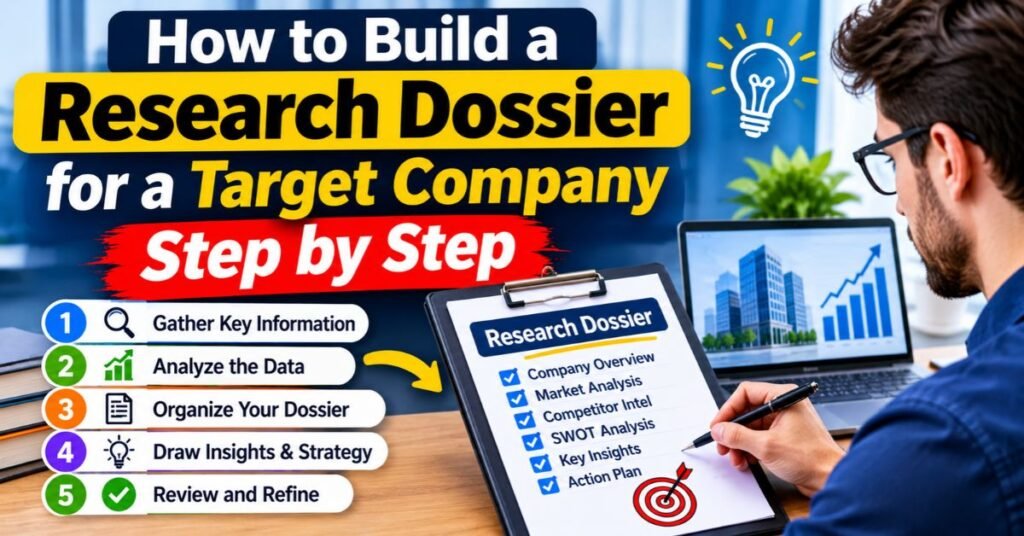
Building a dossier takes eight steps. The same steps work by hand or with AI. Once you’ve set the process, you can reuse it for every account on your list. This is your step-by-step company research methodology.
Don’t rush the early steps. A clear goal and a confirmed company name save hours later. The later steps then move quickly. Here’s the full flow at a glance.
Read More: FRABOC Explained Breast Cancer Risk Categories, Purpose & Modern Alternatives 2026
| Step | Action | Output |
| 1 | Define the objective | One-sentence decision |
| 2 | Confirm the company | Verified legal entity |
| 3 | Set the outline | Ten-section template |
| 4 | Collect sources | Source list by tier |
| 5 | Draft with AI | Sectioned draft |
| 6 | Verify | Checked facts and links |
| 7 | Analyze | Risks and opportunities |
| 8 | Finalize | Summary and refresh plan |
Define Your Research Objective
Write one sentence about the decision. For example: “Decide if we start a vendor trial by June 30.” Add the reader, the deadline, and the depth you need. These research objectives guide every later choice. Without them, you’ll collect random facts. With them, you’ll know what to skip. A tight goal also helps the AI. It stays on topic instead of wandering. Spend ten minutes here. Everything else depends on it.
Identify and Confirm the Target Company
Target company identification sounds easy until two firms share a name. Confirm the exact legal entity, the parent company, the website, and the country. Match the name against a business registry before the AI starts. A wrong match ruins the whole file. Picture researching the wrong “Apex Solutions” for a week. It happens more than you’d think. A quick registry check prevents it. Save the registry link as your first source.
Create a Standardized Research Outline
Copy the ten sections from earlier in this guide. Mark the ones that matter most for your goal. A written outline keeps the AI on track. It also lets you compare dossiers across companies. This is your standardized corporate research framework in action. Store it as a company research template so your team can reuse it. Consistency turns scattered research into a repeatable company research workflow.
Collect Reliable Primary and Secondary Sources
Gather filings, investor pages, registry records, and patent pages first. Then add news and industry reports. Give those links to the AI and ask it to use them before it searches the open web. This approach improves source verification from the start. It also cuts down on weak pages. A short, curated source list beats a giant pile of random links. Keep notes on each source’s date and tier.
Use AI to Generate Each Dossier Section
Ask for one section at a time. Short runs are easier to check than one long report. Your AI research assistant can then focus on each topic. Require inline citations after every claim. If a claim has no link, mark it unverified. This automated research report generation method gives you clean drafts. It also exposes weak spots quickly. Review each section before you move to the next one.
Verify Information, Facts, and Citations
Open every link behind a number, date, or name. Confirm that the page says what the AI claims. This is the step people skip. Don’t skip it. AI-powered data extraction and verification only works when a person checks the output. Log what you checked and when. A simple spreadsheet works fine. Think of it as a paper trail. If someone questions a number later, you can show where it came from.
Read More: GrammarVista com USA The Ultimate Guide to Better Grammar in 2026
Analyze Business Risks and Opportunities
Read the draft for red flags and information gaps. List what could block the decision and what could help it. The AI can draft this list. You own the judgment. Weigh market opportunities and business threats against your own goals and risk tolerance. This step turns facts into insight. It’s where you spot business opportunities that others miss. It’s also where you catch the potential risks that could sink a deal.
Prepare the Final Report and Update Schedule
Write the executive summary last. Add the report date and version number. Then set a refresh plan, such as after each quarterly filing or major news event. Store the file where your team can find it. This closes your due diligence process with a clear handoff. A dossier without a date goes stale fast. A dated, versioned file stays trustworthy.
How to Use AI to Research a Target Company
Learning how to research a target company using AI is mostly about process. The tool matters less than the workflow around it. Tools from OpenAI, Gemini, Perplexity, Grok, and Claude all offer deep research modes. Features change often, so check each vendor’s current page.
A good workflow has four parts: plan, collect, draft, and verify. Follow them in order. Skip none. That’s how you get AI-assisted corporate analysis you can defend.
Choosing the Right AI Research Assistant
Pick an assistant by three tests. First, does it show clear citations? Second, can you control the sources it uses? Third, what does its data policy say about your inputs? Test two tools on a company you already know well. Compare the facts against what you know is true. The results will teach you more than any review. Also check whether the tool supports AI research prompts for business intelligence with long, structured instructions.
Creating a Structured Company Research Workflow
Set up a repeatable path. Start with the objective and the outline. Then load your primary sources. Next, run one prompt per section. Finally, log every check you make. This company research workflow keeps your team aligned. It also makes handoffs easy. Anyone can pick up the file and see what’s done. A steady routine beats a clever one-off every time.
A Four-Stage AI Research Process
Use four stages. In stage one, plan the question and the sources. In stage two, collect pages and records. In stage three, draft each section with citations. In stage four, verify and refine. Each stage has a clear exit point. You don’t draft before you collect. You don’t share before you verify. This rhythm keeps AI-generated reports honest. It also stops the common mistake of trusting a first draft.
| Stage | Goal | Your Role |
| Plan | Set question and sources | Define scope |
| Collect | Gather records and pages | Choose sources |
| Draft | Write sections with links | Guide the prompts |
| Verify | Check facts and citations | Approve or fix |
How to Verify AI-Generated Company Information
Ask the AI for a separate list of the ten claims that matter most. These usually cover revenue, funding, ownership, legal cases, leadership, and key customers. Check each one against a primary source. Then run the same prompt in a second tool and compare answers. Where they differ, go to the original record. Agreement alone proves little, since both tools can repeat the same bad page. This is how to verify AI-generated company research with confidence.
Copy-and-Paste AI Prompt for a Target Company Research Dossier
Good prompts save time. A clear prompt tells the AI what to cover, which sources to trust, and how to cite them. Below, you’ll find a ready-to-use version. Save it as your company dossier template.
Swap the bracketed parts with your own details. Then paste it into any deep research tool. The rules inside the prompt push the AI toward citation accuracy and away from guessing.
Ready-to-Use Company Research Prompt
Copy the block below. Replace each bracket before you run it. This is a tested AI prompt for company research that works in most deep research tools. Keep your decision, reader, and deadline clear. They steer the whole report. Short, plain sentences in the output make it easier to scan. You can edit the order of sources if your goal calls for it.
You are a research analyst. Build a research dossier for [company name],
website [URL], country [country].
My goal: [decision], for [reader], due by [deadline].
Use sources in this order: filings and business registries, company
investor relations pages, reputable news, the company website, job
postings, then reviews and forums.
Write each section in short, plain sentences.
Required Research Sections and Information
Tell the AI exactly which sections to write. Use the ten from this guide. List them in the prompt so nothing gets skipped. Ask for tables where numbers appear. Ask for dates next to every news item. This gives you a comprehensive target company investigation in a clean format. If a section doesn’t matter to your goal, remove it from the list. Shorter prompts often give sharper results.
Sections: company snapshot; business model; market and competitors;
leadership and ownership; financials or funding; products and
technology; hiring and growth signals; recent news; risks and red
flags; summary and recommended next steps.
Source Citation and Fact-Checking Instructions
Add strict rules at the end. These rules shape how the AI handles proof. They also make your review faster. Each unverified claim gets a label, so you know where to look first. The rule about showing both sides of a conflict is especially useful. It stops the AI from quietly picking a winner.
Rules: Put a source link after every fact, number, and date. State
the date of each source. Mark any claim with no source as UNVERIFIED.
When sources conflict, show both. List what you could not find.
Do not guess. Do not use information you cannot link.
Customizing the Prompt for Sales, Investment, and Vendor Research
Add a few lines to match your goal. Sales teams want the buying committee and trigger events. Investors want margins, debt, and downside cases. Procurement wants stability and compliance. Partnership teams want fit and obstacles. Paste the right add-on under your goal line. This turns one base prompt into four specialist versions. It’s the fastest way to get a focused business due diligence draft.
| Goal | Add This to the Prompt |
| Sales | Buying committee roles, likely pain points, recent triggers like funding or new leaders, and a first outreach angle |
| Partnerships | Strategic fit, product overlap, past partners, and integration or legal obstacles |
| Investment | Revenue and margin trends, debt, ownership structure, funding rounds, and downside scenarios |
| Vendor evaluation | Financial stability, customer concentration, security and compliance records, support reviews, and vendor risk |
Best AI Tools for Creating Company Research Dossiers
The tool market moves fast. New products appear and old ones change. So pick by the job, not the brand. Features and prices shift often, so confirm details on each vendor’s site before you buy.
Below, tools are grouped by task. Most teams use two or three together. A small team might start with one general assistant and add a specialist later. These business intelligence tools differ in cost, setup, and depth.
AI Web Research and Citation Tools
These tools help an AI agent search the web and return sourced results. Examples include Tavily, Parallel, the Perplexity API, Firecrawl, Nimble, and Yutori. Most suit teams with a developer who can connect an API. Firecrawl focuses on turning web pages into clean text that AI can read. Choose one if you want automated company information gathering inside your own system. Test the citation format first. Clear links make checking easier.
Read More: TechTrendery Com USA What It Is, Features, Content, and Safety Guide 2026
Company Discovery and Prospecting Platforms
Exa Websets builds lists of companies that match criteria you describe. For example, you might ask for logistics software firms in Germany with a recent funding round. Use this kind of tool before you write a dossier. It helps you decide which target deserves one. Good discovery saves effort on weak leads. It also widens your view beyond the names you already know.
Browser Automation and Web Research Tools
Browser Use lets an AI agent click through pages the way a person would. That helps with sites that need a login or several clicks. Gumloop offers a no-code way to build scraping flows. Always follow each site’s terms of service before you collect data. These tools handle messy pages well. They also take more setup than simple search tools. Weigh the effort against the value.
Sales Intelligence and Account Research Tools
Clay and Relevance AI pull company facts into account records for sales teams. They suit account planning and outreach prep. Many connect to a CRM so your notes stay in one place. Check which data fields they support. Also check how fresh their data is. Stale contact info wastes everyone’s time. A good business intelligence research tool keeps records current without extra effort.
Financial Research and Due Diligence Tools
Hebbia, AlphaSense, and Rogo serve finance teams that read filings, transcripts, and market data. They fit corporate due diligence and AI-assisted corporate analysis at scale. Access and pricing vary, so ask each vendor. Look for an audit trail and clear data privacy terms. Finance work needs proof for every number. A tool without traceable sources won’t pass review.
How to Choose the Right AI Research Tool
Match the tool to your need. Then check a few details before you pay. Test two tools on one company you know well. Compare the results against the facts. No tool removes the need for fact-checking. The table below maps needs to tool groups and buying checks.
| Your Need | Tool Group | Check Before Buying |
| Cited web research in your own workflow | AI web research tools | Citation format and source control |
| A target list to start from | Discovery platforms | Filters and export options |
| Pages that need clicks or logins | Browser automation | Site terms and setup effort |
| Sales account records | Sales intelligence tools | CRM connection and data fields |
| Filings and diligence | Financial research tools | Source coverage, audit trail, privacy terms |
Worked Example: Creating a Research Dossier for Microsoft Corporation
Let’s put the method to work. Microsoft makes a clean example because it’s public. Its filings are free, and the numbers are easy to check. The facts below come from Microsoft’s fiscal 2026 results, which cover the year ended June 30, 2026.
Real work would add more detail. This example shows the shape of a finished company research dossier. Notice how every number ties to a source. Primary sources include the fiscal 2026 earnings release filed on EDGAR and the fiscal 2026 Form 10-K.
Microsoft Company Overview
Microsoft Corporation is a US technology company headquartered in Redmond, Washington. It sells software, cloud services, devices, and AI products to consumers, businesses, and governments. Its fiscal year ends on June 30. The company is publicly traded, so its filings sit on EDGAR for anyone to read. Satya Nadella serves as chairman and chief executive. Amy Hood serves as chief financial officer. This company overview fits in a few lines, which is exactly the point of a snapshot.
Business Model and Main Revenue Sources
Microsoft reports three segments in its 10-K. They are Productivity and Business Processes, Intelligent Cloud, and More Personal Computing. The first covers Microsoft 365, LinkedIn, and Dynamics. The second covers Azure and other cloud services, plus server products and enterprise services.
The third covers Windows, devices, gaming, and search advertising. This split is a good case of business model analysis from a primary source. Notice that most growth comes from cloud and AI products. Older lines like Windows and Xbox grow more slowly or decline.
| Segment | Q4 FY2026 Revenue | Change vs. Last Year |
| Productivity and Business Processes | $37.8 billion | Up 14% |
| Intelligent Cloud | $39.3 billion | Up 32% |
| More Personal Computing | $12.9 billion | Down 4% |
Source: Redmond Magazine summary of Microsoft’s July 29, 2026 results, checked against the EDGAR earnings release.
Leadership, Financial Information, and Market Position
For the full fiscal year 2026, Microsoft reported revenue of $331.8 billion, up 18%. Operating income reached $155.2 billion, up 21%. Net income rose 31% to $133.7 billion, with diluted earnings per share of $17.95. Azure revenue passed $100 billion for the first time. In the fourth quarter alone, Microsoft Cloud revenue hit $59.3 billion, up 27%. These figures come from the reported results. They show a firm with a strong market position in cloud and productivity software. Always confirm such figures in the filing itself.
| Fiscal 2026 Metric | Result |
| Revenue | $331.8 billion (up 18%) |
| Operating income | $155.2 billion (up 21%) |
| Net income | $133.7 billion (up 31%) |
| Diluted EPS | $17.95 (up 32%) |
| Capital spending | More than $145 billion |
Competitors, Opportunities, and Potential Risks
Microsoft competes with Amazon Web Services and Google Cloud in cloud computing. It also faces Salesforce and others in business software. Its business opportunities center on AI, where the company reports over 30 million paid Microsoft 365 Copilot seats. The potential risks start with spending. Capital expenditures topped $145 billion for the year, and free cash flow fell in the fourth quarter. A third-party analysis of the 10-K says six risk factors are new and tied to the AI buildout. Treat that analysis as Tier 2 and confirm each risk in the filing. Also note that More Personal Computing is shrinking.
Key Findings from the Research Example
Here’s how a short executive summary might read. Microsoft is financially strong and growing fast in cloud and AI. Its main exposure is the size of its AI spending, which may take time to pay off. The gaming and device lines are weak spots. A sales team might see openings in Copilot adoption. An investor might watch capital spending and free cash flow. Both readers use the same dossier. They just read different sections first. That’s the real power of a research dossier for a target company.
Common Mistakes to Avoid When Researching a Target Company
Even careful researchers slip up. Most errors fall into five groups. Spot them early and you’ll save yourself embarrassment. Skim the list below before you share any file.
Each mistake has a simple fix. None requires special skills. They just need a habit of checking. Build that habit once, and it pays off across every dossier you write.
Relying on Outdated Company Information
Models learn from data with a cutoff date. Web pages also go stale. A 10-K from last year can hide a change that a newer 10-Q or 8-K reveals. Always ask for the date of every source. Then check for newer filings before you rely on a number. Fresh recent company news and updated financial statements keep your company data analysis current. An old figure can sink a good decision. A quick date check prevents that.
Trusting AI-Generated Claims Without Verification
A smooth paragraph isn’t a true paragraph. The JPMorganChase study found that some agent claims couldn’t be confirmed from their citations. Numbers and dates were common weak spots. So open the source behind every key figure. Think of AI as a draft partner, not a judge. This is the heart of good fact-checking. It’s also what separates a trusted dossier from a risky one.
Using Unreliable Sources and Broken Citations
The same paper gave three telling examples. One claim gave a wrong date for a regulator’s decision. One press release link led to a 404 error. One share count appeared in the report but not on the cited page. A link beside a claim proves nothing until you click it. Check that links work and that pages match the claim. Keep a log. Replace weak sources with verified business information sources whenever you can.
Overlooking Competitors and Business Risks
A one-sided dossier misleads. Some researchers collect only good news, especially when they like the target. Fight that urge. Always list rivals and red flags. Include at least one honest “what could go wrong” paragraph. A balanced file builds trust with your reader. It also protects you if the deal sours. Strong competitor research and clear business risk assessment make your conclusions sturdier.
Ignoring Data Privacy and Confidentiality
Don’t paste private deal terms, customer lists, or internal files into a tool before you read its data policy. Retention and training settings differ by vendor. Ask your security team for rules on data privacy in AI work. Use only approved tools for confidential information. One careless paste can break a nondisclosure agreement. Public sources carry little risk, but private material needs real care.
Legal and Ethical Considerations When Researching Companies
Researching companies from public sources is normal business practice. Still, a few rules apply. Laws differ by country and state. This section isn’t legal advice, so check with a lawyer for tricky cases.
Good ethics also build trust. Teams that handle data carefully earn respect from clients and partners. Keep these three principles in mind as you work.
Using Publicly Available Information
Stick to publicly available information, such as filings, registries, news, and company sites. Respect each site’s terms of service, especially when you use scraping tools. Don’t bypass logins or paywalls. Don’t pose as someone else to gain access. Public-source company investigation reports stay on safe ground when you follow these limits. If you’re unsure whether a method is allowed, skip it and ask your legal team.
Protecting Confidential and Sensitive Data
Treat deal terms, internal notes, and customer data as off limits for unapproved tools. Follow your company’s policy on AI use. Store dossiers in secure, access-controlled folders. Share them only with people who need them. Strip out sensitive names when you can. Good habits here protect your firm and your counterparty. They also keep you on the right side of any contract.
Respecting Privacy and Intellectual Property
Executives are people too. Stick to professional details like roles and public statements. Avoid home addresses, family details, and other personal data. Privacy laws such as GDPR in Europe and CCPA in California can apply to personal information. Also respect copyright. Paraphrase sources and cite them instead of copying text. This keeps your corporate research report clean and defensible.
Free Research Dossier Template for a Target Company
A template saves time on every project. Fill it in once per company, and you’ll have a consistent file each time. Copy the blocks below into a document or spreadsheet. Adjust the fields to fit your goal.
The template has three parts. First comes a fact checklist. Next is a source log. Last is a risk and recommendation page. Together, they form a complete target company research report template.
Essential Company Information Checklist
Use this table for your basic facts. Fill each row, and mark gaps as “not found.”
| Field | Details | Source Link |
| Legal name | ||
| Parent company | ||
| Headquarters and country | ||
| Founding year | ||
| Headcount | ||
| Industry | ||
| Website | ||
| Public or private | ||
| Leadership team | ||
| Board of directors | ||
| Ownership structure | ||
| Main products and services |
Research Findings and Source Documentation
Log every claim here. This table is your proof. It makes your documented research sources and citations easy to review. Add a row for each key fact. Mark whether you’ve checked it.
| Claim | Source Link | Source Date | Tier (1–3) | Verified? |
Risk Assessment and Final Recommendations
Close with a risk table and a clear next step. This is where your judgment shows.
| Risk Type | What You Found | Severity (Low/Med/High) |
| Legal | ||
| Financial | ||
| Operational | ||
| Reputation | ||
| Information gaps |
| Final Item | Entry |
| Recommendation | |
| Next step | |
| Owner | |
| Due date | |
| Report date and version | |
| Next refresh date |
Research Dossier Checklist: What to Verify Before Finalizing
Run through this company research checklist before you share any file. It takes five minutes. It can save you from a costly mistake. Treat it as your final gate. If any row fails, fix it first.
Log what you checked and when. A dated record shows your reader that the work is solid. It also helps the next person who refreshes the file. This company information verification checklist works for sales, investment, and vendor reviews alike.
| Check | What to Confirm | Done |
| Objective and identity | One sentence states the decision. The legal entity matches a registry record. | ☐ |
| Sections | Each of the ten sections is complete, or marked as not needed. | ☐ |
| Source links | Every number, date, and name has an inline citation. | ☐ |
| Verification | Key claims are checked against primary sources, and the log is saved. | ☐ |
| Risks and gaps | Red flags and open questions are listed. | ☐ |
| Executive summary | One page holds findings, risks, and next steps. | ☐ |
| Date and version | Report date, version, and refresh reminder are added. | ☐ |
Frequently Asked Questions
What Is a Research Dossier for a Target Company?
It’s a structured file that collects sourced facts about one company to support a decision. It covers the business, people, money, products, news, and risks. It ends with a summary and a next step. Think of it as a briefing folder, not a brochure.
What Should a Company Research Dossier Include?
Include ten parts: a snapshot, business model, market and competitors, leadership and ownership, financials or funding, products and technology, hiring signals, recent news, risks and red flags, and a summary with next steps. Drop any part that doesn’t change your decision.
How Do I Research a Private Company in the US?
Start with your state’s Secretary of State records to confirm the legal name. Then check court records, funding news, patent filings, and job posts. Press releases and customer reviews add context. Detail on private company research is limited, so mark gaps clearly and ask the company for documents when you can.
Where Can I Find Company Information for Free in the US?
Use SEC EDGAR for public company filings. Use state business registries for legal status. Use USPTO and Google Patents for patents and trademarks. Company websites and investor relations pages add more. All of these are free.
Can ChatGPT, Claude, or Gemini Create a Company Research Dossier?
Yes, for a draft. These assistants can collect and organize facts quickly. However, they can also make mistakes or cite pages that don’t support a claim. Verify key facts against primary sources before you share the file. Your judgment makes the final version trustworthy.
How Long Should a Company Research Dossier Be?
Length should follow the decision. A one-page executive summary plus a few pages of detail suits many sales calls. Due diligence can run longer. Cut any section that doesn’t change the outcome. Shorter files get read.
How Often Should a Research Dossier Be Updated?
Set a refresh schedule when you finish. Update after each quarterly filing, 8-K, funding round, or leadership change. For a live deal, scan the news every week. A dated file with a refresh plan stays useful.
Is It Safe to Use AI Tools for Company Research?
Public sources carry little risk. Private files and deal terms need care. Read each tool’s data policy and follow your company’s rules. Keep confidential material out of tools you haven’t approved. When in doubt, ask your security team.
Conclusion
A good research dossier for a target company shows its sources on every page. It starts with a clear goal. It follows a simple outline. It ends with a plain next step. AI makes the middle part much faster. The JPMorganChase study reminds us that people still win on judgment and proof.
So here’s your plan. Pick one target company today. Run the prompt from this guide. Then use the checklist before you share the result. Each round will show you which sections need more depth and which sources you trust. Over time, you’ll build a fast, reliable company research workflow that your whole team can use.


