
Blockaway Net Review 2026 Features, Privacy, Safety, Limitations & Alternatives


Blockaway Net is a free web proxy that runs inside your browser. You type in a web address, and its server fetches the page for you. It needs no account and no download.
Ever hit a blocked page at school, at work, or while traveling? It feels like a locked door with no key. A quick proxy tool might open it in under a minute.
This tool hides your IP address from the sites you visit. It also uses SSL encryption to your browser. Still, it has no outside audit, so use it for low-risk pages only.
Blockaway Net Review 2026
You open a page and see a blocked message. It happens at school, at work, and sometimes in a whole country. This Blockaway.net review looks at one tool that promises a quick way around that wall. Blockaway.net is a free web proxy that runs in your browser. You need no account and no download.
This Blockaway proxy review covers how it works, what it does well, and where it falls short. It also compares it with a VPN service and an antidetect browser. Each section gives you plain facts. By the end, you will know if this online proxy service fits your needs.
| Quick Verdict | Summary |
| Type | Browser-based proxy |
| Cost | Free, with a reported premium tier |
| Account needed | No |
| Best use | Casual website unblocking tool for low-risk pages |
| Privacy level | Basic, and not independently verified |
| Avoid for | Banking, work logins, and high-risk browsing |
How Does Blockaway.net Work?
The Blockaway net proxy acts as a middleman. You type a web address into the site. Its proxy server then visits that page for you. The page comes back to your screen through the same path. The target site sees the proxy’s IP address and not yours. That simple trick is called IP address masking.
Think of a courier who picks up a parcel for you. The sender sees the courier and never learns your home address. A web proxy website works the same way. It handles your web traffic and shields your location from the sites you visit. This is the core of the Blockaway.net proxy server functionality.
How Blockaway.net Routes Your Web Traffic
Modern pages pull in many pieces. Scripts, images, styles, and videos all load from separate links. A basic proxy fetches the page but leaves those links untouched. Your browser then tries to reach them directly and hits the same block. The Blockaway web proxy fixes this with URL rewriting. It changes each link so it flows back through its own servers. That is why video players and layouts can load properly on big sites. A proxy connection to the service also uses SSL encryption. Your school or office network can see that you reached Blockaway. It should not be able to read the pages you view. Still, the proxy itself can see your web traffic, so trust matters here.
How to Use Blockaway.net Step by Step
Getting started takes about a minute. Follow these steps for the free online proxy experience.
Open your browser and go to blockaway.net.
Paste the full address of the page you want.
Pick a server location if the page is region-locked.
Press the browse button and wait for the page to load.
A few habits help. Clear your cookies before you start. Paste full links instead of typing names. Switch servers if a page refuses to load. Change the script settings if the content looks broken. These small steps show how to unblock websites using Blockaway with fewer errors.
Blockaway net Key Features and Main Benefits
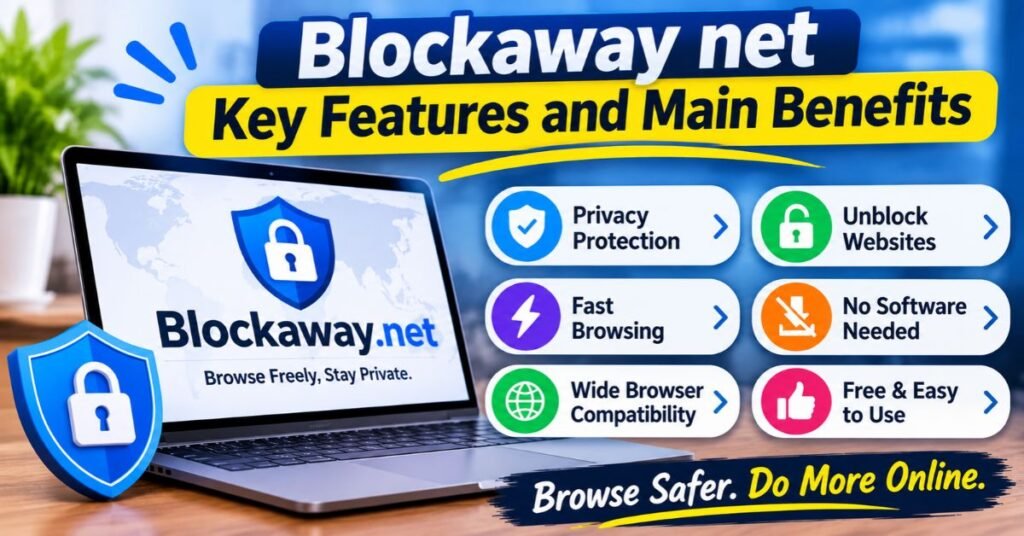
The Blockaway.net features list is short and simple. That is part of the appeal. You get a free proxy server that runs on any device with a browser. The service reportedly offers servers in the US and Europe on the free plan. It uses SSL encryption between you and its server. The proxy server benefits are speed of setup and zero cost.
Each benefit has a catch. The service says it keeps no records of your browsing history. No outside audit confirms that claim. The proxy service limitations also include ads and shared servers. A fair view weighs both sides. The table below sums up the main points.
| Feature | What You Get | Note |
| Cost | Free access | Premium tier reported at $3.50 per month |
| Account | None | No user information needed to start |
| Encryption | SSL encryption to the proxy | Not full-device protection |
| Server location | US and Europe on free plan | Premium reportedly adds more |
| Activity logs | Stated as not stored | Not independently verified |
| Installation | None | Runs inside your browser |
Free Browser-Based Proxy Access
Free proxy access is the main draw. You visit the site and start browsing. No sign-up form asks for your email or name. That means less user information sits in a database. It also means no account to lose or hack. This proxy browsing service suits quick tasks such as reading a blocked news page or a reference article. Free tools do cost something, though. You pay with ads, slower speeds, and fewer controls. Always remember that someone has to fund the servers.
Website Unblocking and Anonymous Browsing
The service works as a website unblocking tool for many pages. It can help you unblock restricted websites on school or office networks. This is a form of web filtering bypass. It also helps with some geo-restrictions, since the target site sees the proxy’s location. The anonymous web browsing claim needs care. Hiding your IP address is only one piece of anonymous browsing. Sites can still spot you by device traits. Your digital footprint also includes cookies and logins. Treat the tool as a mask and not as a full disguise.
No Software Installation Required
Many school and work computers block new software. A browser-based proxy avoids that problem. You open a tab and go. This makes the Blockaway net proxy handy on shared or locked devices. It also leaves nothing behind on the machine. There is no app to update and no setting to forget. The tradeoff is scope. The proxy only covers the tab you use. Other apps on your device still connect the normal way.
Browser Compatibility and Ease of Use
Because it runs on the web, browser compatibility is usually broad. Most modern browsers on desktop and phone can load it. Good browser proxy compatibility helps people on older machines too. The layout is plain. You see one box and one button. That makes it easy for first-time users. Heavy sites can still break, since some scripts clash with rewriting. Test your favorite browser before you rely on it. Results vary by site and by device.
Is Blockaway.net Safe and Legit? An Honest Security Assessment
The Blockaway.net safety question has two answers. For casual use, it gives a basic layer of cover. For sensitive tasks, it falls short. The service uses SSL encryption to your browser. It also masks your IP address. Yet there is no independent audit and no detailed privacy policy in the source material reviewed. That gap matters. Without proof, you must take the Blockaway.net security claims on trust.
Free tools often have hidden costs. Some free proxy operators have been caught selling or sharing user information. That does not mean Blockaway does this. It means you cannot rule it out without checks. Good online security starts with honest limits. Use the tool for low-risk pages. Keep passwords, bank sites, and private accounts far away from it. These are the risks of relying on free proxy websites.
What Blockaway.net Can Protect You From
The tool can hide your real IP address from the sites you visit. That makes online tracking by ad networks a bit harder. It can also keep your school or office network from reading page content. This helps with basic internet privacy on shared connections. It offers a small step toward secure internet browsing for casual tasks. Think of it as a curtain and not a vault. It blocks a casual glance. It does not stop a determined observer.
What Blockaway.net Cannot Protect You From
Several gaps remain. Free proxies usually do not address a DNS leak. In that case your DNS requests may reveal sites you visit. Browser fingerprinting also survives a proxy, since it relies on device traits like screen size and fonts. Your internet provider can still see that you use a proxy. Malicious ads can still reach your screen. Other apps stay outside the tunnel. A true VPN service covers more of these gaps. Strong cybersecurity needs more than one layer.
Understanding Blockaway.net’s Privacy and Data Handling
The Blockaway.net privacy story rests on one claim. The service says it stores no browsing history. No third party has checked this. The reviewed material also found no clear privacy policy that lists what data collection happens. That leaves open questions about logs, cookies, and ad partners. Strong data privacy needs written rules and outside proof. Until those appear, treat the Blockaway.net privacy protection capabilities as unproven. Read the site’s terms yourself before you decide.
Is Blockaway.net Safe on Public Wi-Fi?
On public Wi-Fi, anyone nearby may try to watch open traffic. The SSL encryption to the proxy cuts that risk for casual browsing. It is better than nothing. Still, it is not the same as full-device protection. Skip banking, shopping, and work logins on any free proxy. A trusted VPN service is the safer pick for secure browsing on public Wi-Fi. Also look for HTTPS encryption on every site you visit. The lock icon in your address bar is a good habit to check.
Blockaway net Limitations and Common User Complaints
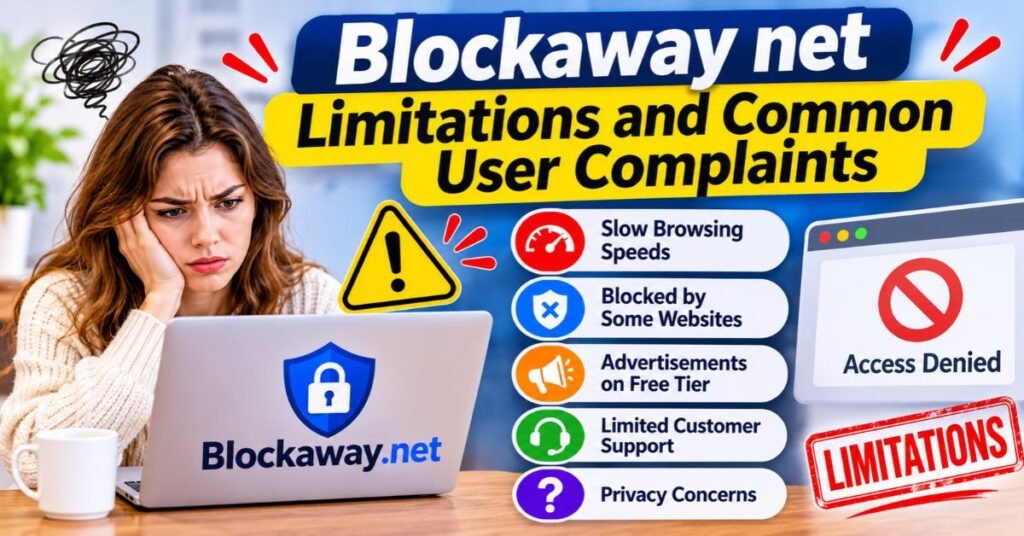
Every free tool has trade-offs. The proxy service limitations here fall into five groups. They include unclear policies, slow pages, blocked sites, ads, and weak help. None of these are unusual. They are the price of a zero-cost online proxy service. Knowing them up front saves time and frustration. It also helps you pick the right tool for the job.
Complaints about free proxies tend to repeat. People report slow loads at busy hours. They also report pages that refuse to open. The chart below uses editorial estimates and not hard survey data. Use it as a guide to common pain points. Real results vary by site, device, and time of day.
See Also: About LogicalShout Explained Features, Reviews, Legitimacy & Complete Guide 2026
| Limitation | How Often It Bites | Impact |
| Slow pages | Very common | Annoying |
| Blocked sites | Common | High |
| Ads and pop-ups | Very common | Annoying |
| Unclear policies | Always present | High |
| No customer support | Always present | Medium |
Unclear Privacy and Data Collection Policies
Trust is the biggest weak spot. The service claims it keeps no logs. Yet no outside audit backs that up. The reviewed material also found no full privacy policy that explains data collection. You cannot see what is kept, for how long, or who gets it. Strong services publish clear rules and often invite audits. Without that, you are guessing. Anyone who values data privacy should pause here. At the very least, avoid typing user information into any page you open through the proxy.
Slow Browsing Speeds and Server Overload
Free servers are shared by many people. At peak hours, server overload can slow every page. Your data also takes a longer trip. It goes from your device to the proxy, then to the site, then back. A far-off server location adds more delay. That hurts proxy server speed and connection speed. Heavy pages with video suffer most. Try a closer server or a quieter hour. Poor proxy server speed and connection reliability is the most common complaint about free tools.
Websites That Block Proxy Connections
Many sites use proxy detection to spot shared proxy addresses. Banks, shops, and big media sites are the usual examples. Streaming restrictions are especially strict. Major streaming services often block free tools. Some sites also use DDoS protection services that flag proxy traffic as risky. Others use bot detection to turn you away. When this happens, the page may fail or loop. No free proxy can promise access to every site. That is one of the limits of free web proxy services.
Advertisements and Free-Version Restrictions
Ads pay for the servers. Expect pop-ups and banners during your session. Some ad networks used by free proxies carry tracking scripts. That adds to your digital footprint and cuts against the privacy goal. The reported premium plan removes ads and boosts speed. Free users also get fewer server location choices. Use an ad blocker with care, since it may break the proxy page. Keep clicks to a minimum and never download files from pop-ups.
Limited Customer Support and Troubleshooting
A free tool rarely offers a help desk. The reviewed material found no ticket system and no live chat. If a page breaks, you must fix it alone. Simple fixes can help. Clear cookies and change the server location. Try another browser or toggle the script settings. If nothing works, switch to another tool. Weak customer support is not a deal-breaker for casual use. It does matter if you need steady access for work.
Is Blockaway.net Free? Pricing and Available Plans
Yes, the core service is free. You do not pay and you do not register. That makes it a true free proxy server for light use. The service also reportedly sells a premium proxy service at about $3.50 per month. That price comes from third-party review material. Check the live site before you act on it. Prices and perks change often.
Free and paid tiers aim at different people. The free plan suits quick, one-off visits. The paid plan suits regulars who hate ads and slow pages. Neither plan changes the basic design. It is still a browser-based proxy and not a full-device tunnel. Weigh the monthly cost against a trusted VPN. Some VPN plans cost little more and cover far more ground.
| Plan | Reported Cost | Reported Perks |
| Free | $0 | Core proxy, ads, US and Europe servers |
| Premium | About $3.50 per month | No ads, faster speeds, more locations |
Free Proxy Access and Its Limitations
Free proxy access gives you the basics. You get the core proxy and a short list of server regions. You also get ads and shared capacity. At busy times, speed can drop. Some sites will still block you. That is the usual deal with a free online proxy. It works well for a quick look at a blocked article. It works poorly for long sessions or sensitive tasks. Treat free access as a trial and not a long-term plan.
Are There Any Paid Features or Premium Plans?
Reportedly, yes. The paid tier removes ads and raises speed. It also adds more server location options, such as Germany, the UK, Spain, Canada, and Israel. Those details come from a third-party article. Confirm each one on the official site. A paid plan does not fix the audit gap or the policy gap. Ask for a clear privacy policy before you pay. A premium proxy service is only worth the money if you trust the company behind it.
How Does Blockaway.net Compare to a VPN and Antidetect Browser?
The three tools work at different levels. A proxy covers one browser session. A VPN service covers your whole device. An antidetect browser manages your digital identity. Each solves a different problem. Picking the wrong one wastes time and money. The VPN vs proxy debate is about scope. The antidetect choice is about identity control.
The proxy vs VPN gap is easy to see in daily use. A proxy is quick and needs no install. A VPN takes setup but protects every app. An antidetect browser needs setup and skill. It also costs more. Use the table to match your goal with the right tool. This is the heart of differences between web proxies and VPNs.
See Also: Future Timeline for 2026 Future Forecasts, Trends, and Global Insights
| Factor | Blockaway.net | VPN | Antidetect Browser |
| Scope | One browser session | Whole device | Separate browser profiles |
| Encryption | SSL encryption to proxy | Full-device encryption | Depends on added proxy |
| Setup | None | App install | Software install |
| Speed | Varies, often slower | Usually steady | Varies |
| Cost | Free, with premium option | Free or paid | Mostly paid |
| Best for | Casual unblocking | Internet privacy | Multi-account work |
Blockaway.net vs. VPN: Privacy and Security Differences
A VPN wraps all traffic leaving your device. That includes apps, games, and email. Blockaway only handles pages loaded inside its own tab. A good VPN also helps with DNS requests and leak protection. A free proxy usually does not. For online security on public Wi-Fi, the VPN wins by a wide margin. The proxy wins on speed of setup. Compare free proxy vs paid VPN services by asking one question. How sensitive is the task? If the answer is very, pick the VPN.
Blockaway.net vs. Antidetect Browser: Features and Use Cases
An antidetect browser does something a proxy cannot. It changes how your browser looks to websites. That helps fight browser fingerprinting and online tracking. It also lets you run many profiles at once. Marketers, researchers, and ad checkers use these tools. People who run many accounts use them too. These are the main antidetect browsers for multi-account management. Use them within site rules and the law. Blockaway offers none of this depth.
Which Option Offers Better Online Privacy?
For pure internet privacy, a trusted VPN beats a free proxy. For identity control, an antidetect browser beats both. For fast, free access to a blocked page, the proxy is enough. Match the tool to the risk. A student reading a blocked wiki needs little. A traveler checking a bank needs a lot more. This is the key to choosing the right online privacy solution. When in doubt, pick the stronger layer. No single tool covers every case.
Best Blockaway.net Alternatives for Secure and Private Browsing
Good Blockaway.net alternatives exist in every category. Some are free web proxies. Some are full VPNs. Others are built for strong anonymity. Start with your goal. If you just need to unblock restricted websites, a similar proxy may do. If you care about cybersecurity, look at a VPN. If you need to avoid internet censorship in a risky setting, look at tools built for it.
Read each provider’s own terms before you commit. Claims on marketing pages are claims and not proof. Look for a clear privacy policy and, if possible, outside audits. The table lists common options. Details change often, so recheck each one. These are the best alternatives to Blockaway.net for different needs.
| Tool | Type | Key Difference |
| CroxyProxy | Free web proxy | Known for video and social media support |
| KProxy | Free proxy and extension | Bandwidth caps may apply |
| ProxySite | Free web proxy | Simple design and several server regions |
| Hide.me | VPN, free and paid | States a no-log commitment |
| Windscribe | VPN with proxy extension | Free and paid plans |
| Tor Browser | Anonymity network | Built for stronger anonymity but slower |
| Planet VPN | Free VPN | States no registration and no logs |
Free Web Proxy Alternatives
CroxyProxy, KProxy, and ProxySite sit in the same tier as Blockaway. All three are quick and need no install. CroxyProxy is often picked for video and social pages. KProxy also offers a browser extension but may cap bandwidth. ProxySite keeps things simple with a plain layout. They share the same proxy service limitations. Expect ads, shared speeds, and website restrictions that block you now and then. Try two or three and keep the one that loads your sites best.
VPN Services for Stronger Online Privacy
A VPN service covers your whole device. Hide.me, Windscribe, and Planet VPN all offer free options. Each says it protects more than a single tab. Providers state their own log rules. Treat those statements as claims until audits prove them. Paid plans usually add speed and more servers. For public Wi-Fi, banking, and work, a VPN is the better pick. It also supports secure internet browsing in every app. Check limits on free plans before you rely on them.
When to Choose an Antidetect Browser
Pick an antidetect browser when identity control matters. Examples include managing several ad accounts, testing regional pages, or running research profiles. These tools mask device traits that trackers use. They often pair with proxies for location control. They cost more and take time to learn. Use them only for lawful and ethical work. They are not a tool for evading site bans or breaking rules. For simple unblocking, they are overkill.
Who Should Use Blockaway.net and Who Should Avoid It?
Blockaway suits light, low-risk use. It fits people who want fast access without any setup. Think of a quick peek at a blocked article. It is a handy private browsing tool for small jobs. It is not a tool for secrets. The decision comes down to risk. The lower the risk, the better the fit.
The wrong user can get burned. Anyone who handles money, health data, or work logins needs more. The same goes for reporters and activists in tough settings. Online tracking and data collection can cause real harm in those cases. A proxy with no audit is a poor fit. Choose stronger tools when the stakes rise.
Who Can Benefit from Blockaway.net?
Students on locked school networks may find it useful. So may travelers who need a news page or a reference site. Office workers who face harsh content filtering might also try it for harmless reading. Check your school or employer rules first. Using a proxy against policy can lead to trouble. For casual reading, it works well enough. It is a tool for convenience and not for protection.
Who Should Consider a More Secure Alternative?
Anyone who logs into a bank, shop, or work tool should skip free proxies. Journalists and activists need tools built for risk. People who care about data privacy deserve audited providers. Users who face internet censorship need stronger anonymity. A paid VPN or Tor may serve them better. The same advice holds for anyone on public Wi-Fi who handles private data. A weak tool gives false comfort, and false comfort can be worse than none.
How to Improve Your Online Privacy Beyond Using Blockaway.net
A proxy is one small step. Good habits matter more. Always check for HTTPS encryption on the sites you use. Keep your browser and device updated. Use a password manager and strong, unique passwords. Add a tracker blocker and turn on two-step login. Keep sensitive tasks on a trusted network. These habits are the base of protecting personal information online.
Layer your tools as risk grows. Use the proxy for light reading. Use a VPN for private work. Use a hardened browser or antidetect setup for identity control. Review your digital footprint now and then. Delete old accounts and clear stored data. Small steps add up to better anonymous browsing and digital privacy over time.
See Also: Snapjotz Com Explained Features, Content, Safety & Complete Guide 2026
Understanding Proxy Privacy and IP Address Protection
IP masking hides your home address from the sites you visit. That helps limit location tracking and basic profiling. It does not hide what you do inside a site. Logins, cookies, and form entries still point back to you. The proxy itself also sees your web traffic. That means you must trust the operator. Strong IP address protection needs a provider with clear rules and proof. A free proxy gives only partial cover.
Recognizing CAPTCHA Challenges and Proxy Restrictions
You may see CAPTCHA verification often on a shared proxy. Many people use the same IP address, which looks odd to a site. The site then asks you to prove you are human. Some pages also add extra checks or block you outright. These are CAPTCHA challenges and proxy connections at work. Stay patient and solve the prompt. If the loop never ends, switch server or tool. Do not try to trick the check, since that can break site rules.
Understanding Browser Fingerprinting and Bot Detection
Sites can spot you by device traits. Screen size, fonts, language, and plug-ins all form a pattern. That is browser fingerprinting, and it works even when your IP address changes. Sites also use bot detection to find automated traffic. Some run headless browser detection to catch scripts that mimic users. Shared proxies can trip these systems. Tools such as an antidetect browser try to manage this pattern. A plain proxy does not. These are the core website proxy detection techniques.
Frequently Asked Questions
What Is Blockaway.net Used For?
People use Blockaway.net to open pages their network blocks. It acts as a web proxy that fetches pages for you. Students, travelers, and office workers use it for light reading. It works as a quick website unblocking tool with no install. It is not built for banking or private work. Use it for low-risk pages only.
Is Blockaway.net Free to Use?
Yes. The core free proxy access needs no payment and no account. A premium proxy service is reportedly offered at about $3.50 per month. It removes ads and boosts speed. It also adds more server location choices. Confirm the current price and perks on the official site before you pay.
Is Blockaway.net Safe and Legit?
It offers basic cover for casual use. It uses SSL encryption and masks your IP address. However, no outside audit backs its log claims. A clear privacy policy is also missing in the reviewed material. Use it for low-risk pages. Avoid logins and payments.
Does Blockaway.net Hide Your IP Address?
Yes. Sites you visit see the proxy’s IP address and not yours. That is basic IP masking. Your internet provider can still see that you use a proxy. Browser fingerprinting and leaks may still expose you. So it hides your address but does not make you fully anonymous.
Is Blockaway.net Better Than a VPN?
No, not for privacy. A VPN service protects your whole device and all apps. Blockaway only covers one browser session. The proxy is faster to start and costs nothing. For public Wi-Fi and private tasks, a trusted VPN is the better pick.
Does Blockaway.net Work for Streaming?
Sometimes. Some video pages load, and YouTube often works due to link rewriting. Major streaming services use proxy detection and streaming restrictions. They block most free tools. Results vary by site and by day. Do not count on it for paid streaming.
Why Does Blockaway.net Sometimes Get Blocked?
Many people share the same proxy IP address. Sites spot that pattern with proxy detection and bot detection. Some also use DDoS protection filters that flag shared addresses. Then you may see a CAPTCHA or a full block. Try another server location or a different browser. If it still fails, try another tool.
What Are the Best Alternatives to Blockaway.net?
For free proxies, try CroxyProxy, KProxy, or ProxySite. For stronger privacy, look at Hide.me, Windscribe, or Planet VPN. For high anonymity, consider Tor Browser. For identity control, use an antidetect browser within the law. Pick the tool that matches your risk level.
Conclusion
This Blockaway net review 2026 shows a simple, free tool with clear limits. It works well as a browser-based proxy for quick, low-risk visits. It masks your IP address, needs no install, and costs nothing. Yet it lacks outside audits and a detailed privacy policy. Ads, slow speeds, and blocked sites are common. Customer support is thin.
Use it for casual reading and nothing sensitive. Pair it with good habits such as HTTPS encryption checks and updated software. For banking, work, or public Wi-Fi, choose a trusted VPN. For deep identity control, look at an antidetect browser. Always check pricing, locations, and policy claims on the live site before you rely on them. The right tool is the one that fits your risk.


